This post contains affiliate links. If you buy through them, I may earn a commission at no extra cost to you. Read the disclosure.
Quick verdict: I tested three free Urdu text to speech tools that need no account: Google Translate, TTSMaker and Microsoft Edge Read Aloud. Google Translate came out on top with 3.7 out of 5, just ahead of TTSMaker (3.6) and Edge (3.5). All three read plain Urdu well enough, but none of them sounded truly human, and all three struggled once English words were mixed into the Urdu. If you need Urdu voiceovers for YouTube or client work, a paid tool like ElevenLabs is in a different league.
Best free option: Google Translate · Best free option with MP3 download: TTSMaker · Best for creators: ElevenLabs · Account needed: no, for all three free tools
Searching for Urdu text to speech usually leads to long lists of tools that nobody has actually listened to in Urdu. So I did the opposite. On 20 October 2026 I gave the same Urdu script to three free tools that work without signing up, listened to every result myself, and scored them. This page covers Urdu only. If you also need Hindi, see my best AI voice generator for Hindi and Urdu test.
Urdu text to speech: quick comparison
| Tool | My score | Account | MP3 download | Main weakness |
|---|---|---|---|---|
| Google Translate | 3.7/5 | No | No | Voice not very natural |
| TTSMaker (Vidya, Pakistan) | 3.6/5 | No | Yes | Voice sounds fake |
| Microsoft Edge Read Aloud | 3.5/5 | No | No | English words confused, some words missed |
| ElevenLabs (paid tool, for comparison) | 4.6/5 | Yes | Yes, also on free plan | Free audio can’t be used commercially |
Scores are from my own listening test on 20 October 2026 (ElevenLabs score from my full ElevenLabs test). 5 = sounds like a real person.
How I tested Urdu text to speech
Every tool got the same four Urdu lines. Each line checks something different, because a tool that reads one simple sentence well can still fail on real-world Urdu.
- Test date
- 20 October 2026
- Setup
- Free versions, no account, Chrome and Microsoft Edge on Windows
- Line 1: plain Urdu
- السلام علیکم! اے آئی ٹول وائز میں خوش آمدید۔ آج ہم دیکھیں گے کہ یہ آواز کتنی قدرتی لگتی ہے۔
- Line 2: numbers and money
- یہ پروگرام 15 نومبر 2026 کو صبح 10:30 بجے شروع ہوگا، اور اس کی فیس 2,500 روپے ہے۔
- Line 3: English words in Urdu
- کل کی meeting میں ہم website launch اور YouTube channel کے بارے میں بات کریں گے۔
- Line 4: poetry (Allama Iqbal)
- خودی کو کر بلند اتنا کہ ہر تقدیر سے پہلے، خدا بندے سے خود پوچھے بتا تیری رضا کیا ہے۔
Line 3 matters most. Most Pakistanis write Urdu with English words mixed in, so a tool that can only read “pure” Urdu is less useful than it sounds.
1. Google Translate: the best free Urdu text to speech in my test
Google Translate is the tool most people already have open. Pick Urdu as the source language, paste your text and click the speaker icon under the text box.
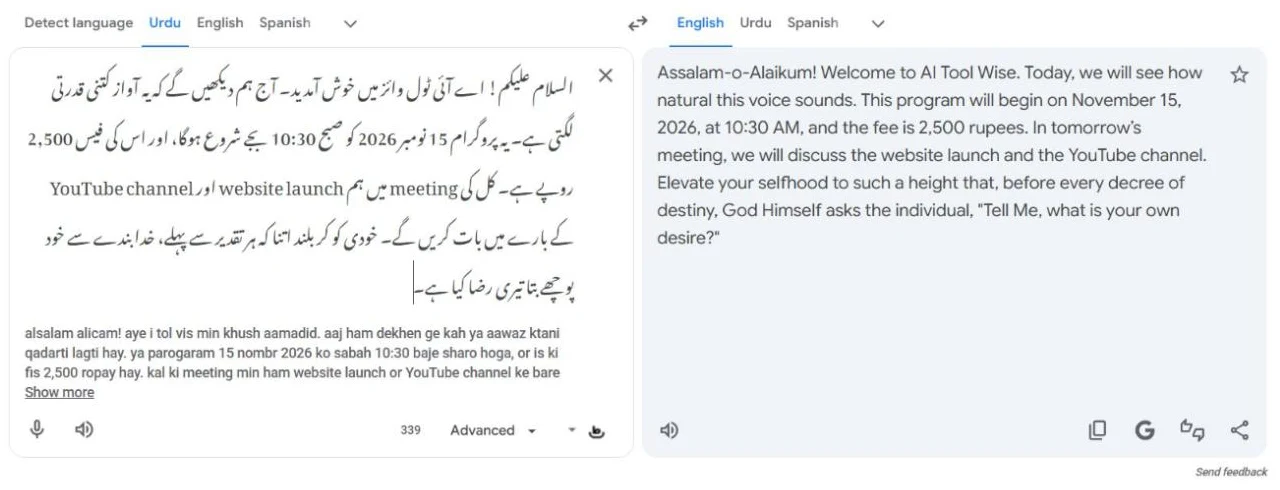
What I heard: the voice did not sound very natural; you can tell it’s a computer. Even so, it scored highest of the three free tools.
A nice bonus: the English translation of my Urdu text was very good, so Google Translate is handy if you want to hear the Urdu and check its meaning at the same time.
Watch out: the Roman Urdu line that Google shows under the Urdu box was weak. It wrote words like “ٹول وائز” as “tol vis” and “خوش آمدید” as “khush aamadid”. Don’t copy that Roman Urdu into anything important.
Limitation: Google Translate only plays the audio. There is no button to download it as an MP3, so it’s for listening, not for videos.
2. TTSMaker: free Urdu text to speech with MP3 download
TTSMaker is a free website for text to speech. No sign-up is needed, and it has four Urdu voices: Vidya (Pakistan, female), Rohan (Pakistan, male), Aanya (India, female) and Amit (India, male). I tested Vidya, the Pakistani female voice.
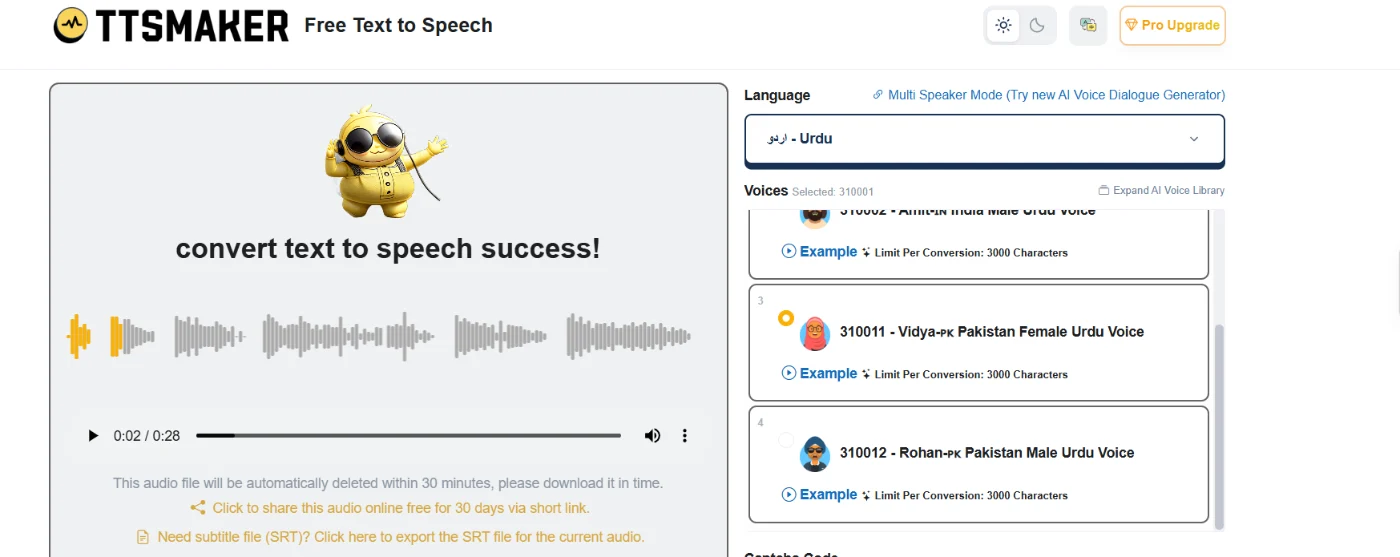
- Numbers: 15 نومبر 2026، 10:30 and 2,500 روپے were all read correctly.
- English words: meeting, website and YouTube were read correctly too.
- The problem: even when every word was right, the voice sounded fake. It’s fine for simple personal use, but I wouldn’t use it in a video.
Free limits (from the TTSMaker website, 20 October 2026): 20,000 characters a week, up to 3,000 characters per conversion. My four-line script came out as a 28-second MP3. TTSMaker also offers an SRT subtitle file, and the site says the audio can be used commercially for free.
Two traps: you must type a captcha code before every conversion, and the audio file is deleted within 30 minutes, so download it straight away. The site also shows full-screen ads; if the page goes blank, press your browser’s Back button instead of reloading, or your text will be gone.
3. Microsoft Edge Read Aloud: fine for plain Urdu, weak on mixed text
Read Aloud is built into the Microsoft Edge browser, so there is nothing to install. Open a page in Edge, press Ctrl + Shift + U, then choose an Urdu (Pakistan) voice under Voice options. Microsoft’s help page also lists it under the menu: More tools, then Read aloud.
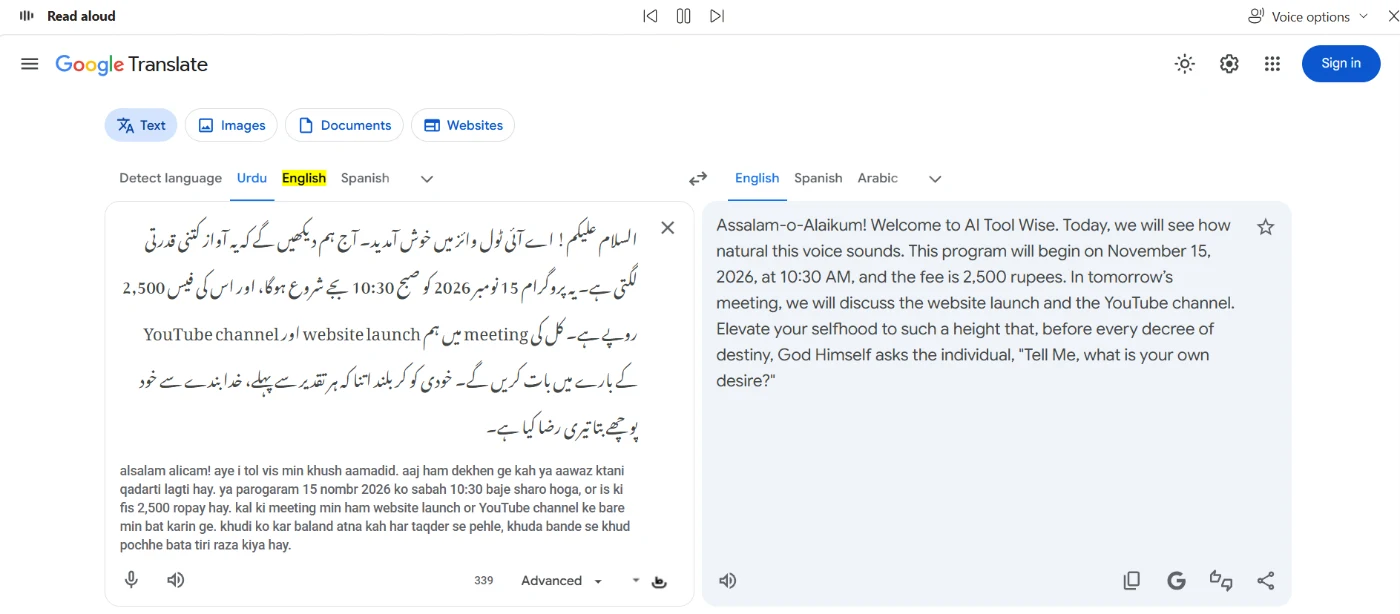
Edge surprised me in two directions. On a page of plain Urdu (the Urdu Wikipedia home page), the voice sounded very natural and the pronunciation was very good. On my test script it was a different story: the voice sounded generated, it got confused by the English words, some words were pronounced wrongly, and a few were skipped completely.
I scored Edge on the test script, because that’s the same text the other tools got and it is closer to how people write Urdu.
Tip: Read Aloud did not play for me on a local HTML file opened in Edge, but it worked straight away on a normal website. If it stays silent, try it on a web page. Read Aloud only plays the audio; Microsoft’s help page describes no way to save it as a file.
The weak spot of every free Urdu text to speech tool
The biggest lesson from this test: free tools handle “pure” Urdu much better than everyday Urdu. As soon as English words, dates and numbers enter the sentence, quality drops. Edge showed this most clearly, sounding great on plain Urdu and losing a full point on my mixed script.
So before you choose a tool, look at your own text. If it is a simple Urdu message or an article you want to listen to, any of these three free tools will do. If it is a script for a video, with brand names, English terms and prices, test it in the tool first, or use a stronger AI voice.
Free tools vs ElevenLabs for Urdu voiceovers
I have also tested paid voice tools on this site, and for Urdu the difference is clear. In my ElevenLabs Urdu guide, Urdu written in Urdu script sounded perfect, and my overall ElevenLabs review score is 4.6 out of 5. None of the free tools above came close to that.
Free tools are enough if
- You only want to listen to Urdu text yourself
- You need a quick voice note or a pronunciation check
- You don’t want to create an account
Use ElevenLabs instead if
- You make YouTube videos, reels or courses in Urdu
- The voice must sound like a real person
- You need commercial use (ElevenLabs paid plans start at $6 a month; free-plan audio is for personal use)
Note that Murf, another popular voice tool, has no Urdu at all, as I found in my Murf AI review.
Which Urdu text to speech tool should you use?
- To listen to Urdu text quickly: Google Translate. It’s already open in most browsers and it scored best.
- To download a free Urdu MP3: TTSMaker. Try the Pakistani voices (Vidya, Rohan) and download within 30 minutes.
- To have long Urdu web pages read to you: Microsoft Edge Read Aloud, especially for plain Urdu articles.
- For Urdu voiceovers that sound human: ElevenLabs.
Urdu text to speech FAQ
Is there a free Urdu text to speech tool without sign-up?
Yes. Google Translate, TTSMaker and Microsoft Edge Read Aloud all read Urdu for free without an account. In my test Google Translate scored best (3.7 out of 5).
Which free Urdu text to speech tool lets me download MP3?
TTSMaker. It creates an MP3 file for free, with a limit of 20,000 characters a week. Google Translate and Edge Read Aloud only play the audio.
Can free Urdu text to speech read English words in Urdu sentences?
Sometimes. TTSMaker read “meeting”, “website” and “YouTube” correctly in my test, but Edge Read Aloud got confused and skipped words. Always listen to the result before you use it.
Can I use free Urdu text to speech for YouTube?
TTSMaker says its audio is free for commercial use. Whether it’s good enough is another question: in my test the voice sounded fake, which viewers will notice. For YouTube, a natural AI voice like ElevenLabs works much better.
Is this Urdu text to speech test sponsored?
No. I picked the tools, ran the test and wrote the scores myself. Some links on this page are affiliate links, which means I may earn a commission at no extra cost to you. See the affiliate disclosure.
Final verdict: the best free Urdu text to speech
To sum up this Urdu text to speech test: Google Translate is the best free choice for listening (3.7/5), TTSMaker is the one to use when you need a free MP3 (3.6/5), and Edge Read Aloud is great for plain Urdu pages but weaker on mixed text (3.5/5). They’re all useful, and all three still sound like a computer. If your Urdu audio is going in front of an audience, use ElevenLabs.
Sources checked for this Urdu text to speech test (5)
Facts below were checked on 20 October 2026. Free limits change often, so confirm on the official pages.
- TTSMaker: Urdu voices, weekly and per-conversion limits, commercial-use statement, 30-minute file deletion
- Google Translate: Urdu listen feature, Roman Urdu line, translation
- Microsoft Support: Immersive Reader and Read aloud in Edge: how to start Read aloud and change voices
- My ElevenLabs Urdu guide (tested 19 October 2026): ElevenLabs Urdu results and free plan
- My own hands-on listening test of all three free tools on 20 October 2026